Keypads, key fobs and smart keys all promise to replace a bunch of metal keys, but they fail in different ways. This guide compares how each works at home and in a vehicle, what you gain and lose, and how to pick the method that fits your routine without leaving yourself exposed.
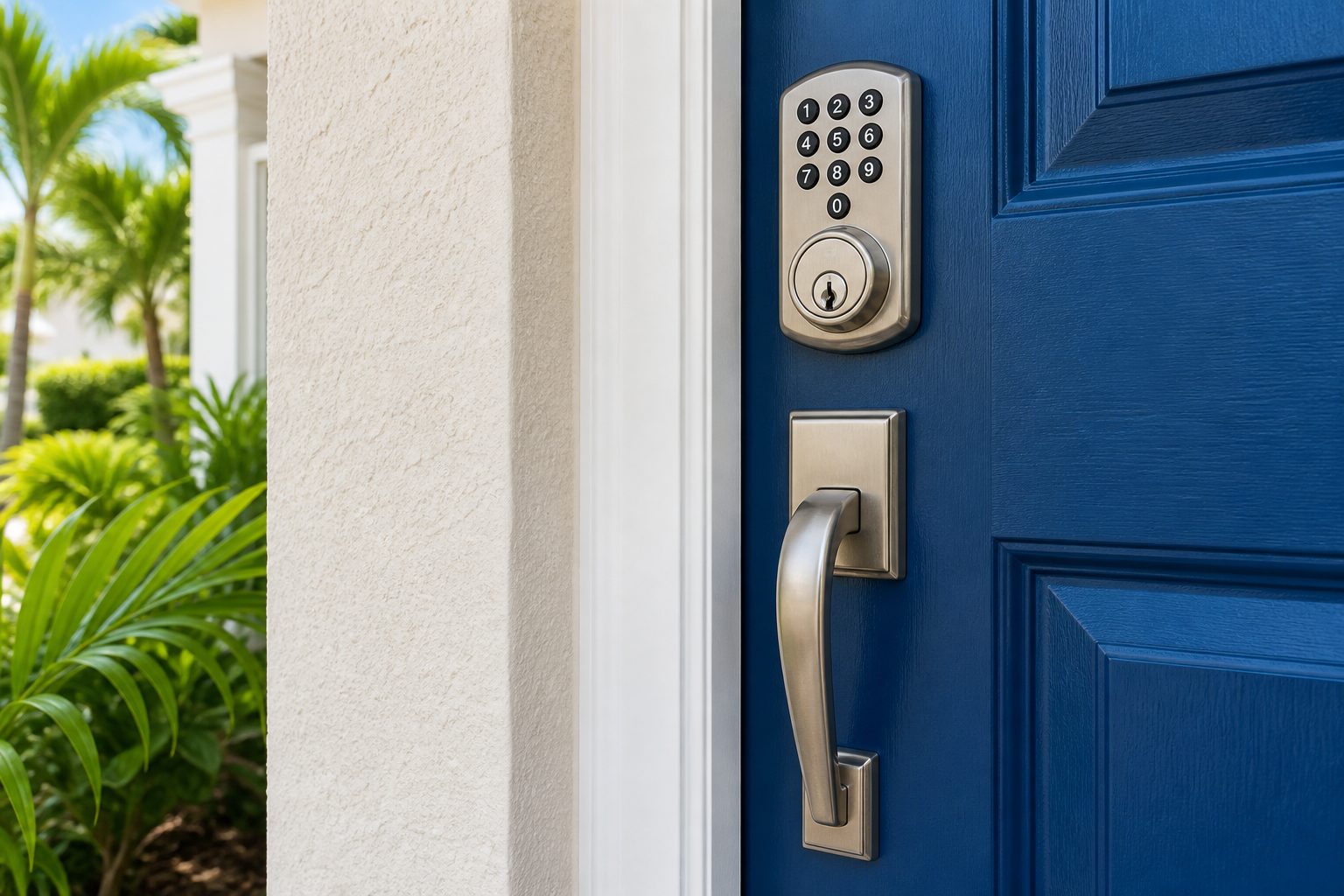
People use the word keyless loosely, so it helps to separate three different ideas. A keypad asks you to remember something, usually a numeric entry number, and press it at the door. A key fob asks you to carry something, a small plastic or metal device with buttons that sends a signal to a lock or a vehicle. A smart key, in the car world, is a fob that you do not have to press at all, because the vehicle detects it nearby and unlocks or starts when you touch the handle or press a button.
These categories overlap in daily life. A modern home might have a keypad deadbolt, a garage remote and a phone app. A modern car might have a smart key, a hidden mechanical blade and a phone feature. The question is rarely which technology is better in general. The question is which weakness you can live with: forgetting a number, losing a device, or running out of battery at the wrong moment.
Think of each method as trading one habit for another. Keypads trade key carrying for number memory and occasional cleaning. Fobs trade metal teeth for batteries and replacement cost. Smart keys trade the act of pressing a button for always-on radio communication that has to be protected from tampering. None of them removes the need for a plan when something stops working.
A keypad lock is the simplest keyless choice for a house. You enter a number, the bolt retracts, and you walk in. Children, guests, dog walkers and house cleaners can each have their own number on many models, and you can remove one without affecting the rest. Nobody has to hide a key under a plant or hand over a copy that might be duplicated.
The weaknesses are practical. Numbers can be forgotten, shared more widely than intended or guessed if they are obvious. Buttons wear over years of use, and a frequently touched keypad can show smudges that hint at which digits are used. Humidity, rain and summer heat are hard on cheap models. A weak keypad that sticks or ghost presses can be more annoying than a key ever was.
Good habits solve most of this. Choose a number that is not a birth year, an address or a repeated digit. Keep a record of who has which number. Remove old entries when a contractor finishes a job or a tenant moves out. Wipe the pad occasionally. If you are shopping for hardware, our smart lock buying guide and the page on keypad deadbolt installation cover fit and setup.
At a house, fobs usually appear as garage remotes, gate openers or tag readers for a smart lock. They are convenient, because you press a button from your driveway and the gate or garage responds. They also help in communities where residents pass through shared gates or entry doors. Because a fob is a physical object, it can be assigned and revoked by whoever manages the system.
The risks are loss and duplication. A fob left in a parked car or dropped at a theme park or beach can be found by someone who may know where you live. Some simple remotes can be copied easily, while better systems use rolling or encrypted signals. If you lose a fob, the sensible response is to remove it from the system and replace it. For gates and community access, ask your management or association who can deactivate old fobs.
Batteries in fobs are small coin cells that last a long time, but they do eventually fade, and the first sign is usually reduced range. Replace the cell when you notice you have to stand closer. Keep spare fobs somewhere safe and separate from your daily set. Do not store a spare fob in the glove box or under a mat, since those are the first places someone checks.
In a vehicle, a smart key, sometimes called proximity or push button start, lets you unlock by touching the door handle and start the engine with the key in a pocket or bag. The car listens for the fob and checks that it carries the right credentials. It is a large convenience on a hot day when you are carrying groceries or children, and many drivers never take the fob out of a pocket all day.
The tradeoff is reliance on a more complex system. If the fob battery is weak, the car may show a warning, stop recognizing the key, or refuse to start until you hold the fob against a specific spot. Many smart keys hide a mechanical blade for emergencies, but not everyone knows where it is or how it is used. Replacement is also more involved than copying a metal key, because the new fob must be programmed to the car. You can read more in car key types through the years and our page on smart key replacement.
Another concern is relay theft, where thieves capture and extend the fob's signal to trick a parked car into unlocking. Simple precautions help, such as storing the fob away from doors and windows at home, using a signal blocking pouch if you like, and turning off proximity features where the car offers that setting. See keeping car keys safe from relay theft for more.
The easiest way to compare is by what each method demands from you, rather than what it promises. A keypad demands that you remember something and keep a list of who knows it. A fob demands that you keep track of an object and protect its signal. A smart key demands a working battery, an awareness of where the emergency blade is and a habit of keeping the fob safe at home.
| Method | You must | Typical failure | Fallback |
|---|---|---|---|
| Keypad lock | Remember and manage entry numbers | Forgotten or shared number, worn buttons, weak battery | Physical key or emergency power contact |
| Key fob | Carry and protect a device | Lost fob, dead battery, copied signal | Spare fob or mechanical key if provided |
| Smart key (vehicle) | Keep the fob charged and secure | Dead battery, signal interference, theft by relay | Hidden blade and a backup start position |
| Phone as key | Keep the phone charged and the app working | Dead phone, update problems | Keypad or a physical key |
Families with children, older adults or frequent visitors often lean toward keypads, because nobody has to find a key and entry numbers can be tailored. A grandparent who prefers a simple button pad may not enjoy a phone app, and a child old enough to come home alone may lose a fob faster than they forget a short number. Combining a keypad with a physical key is a common and sensible compromise.
Rental properties and vacation rentals have different needs. Guests arrive and leave, and keypad numbers can be changed between stays without a new key being cut. Fobs can work well for apartment buildings with shared entrances, where management controls the system. Whatever you choose, keep a written process for changing entries and handling lost devices. Our page on vacation rental lock service explains what we can help with.
Small businesses often use a mix. A keypad on a back door for staff, a fob or card reader at a main entry, and a mechanical key on a storage room. The advantage of electronic methods is the ability to remove one person's access without rekeying every lock. The cost is the need for administration. For a deeper comparison, see access control vs traditional keys.
Heat, humidity and storms influence all three options. Keypad surfaces in direct afternoon sun can become hot and difficult to read, and moisture can reach the contacts of poorly sealed models. Fobs left in a hot parked car or a pocket on a rainy day can see shorter battery life or water damage. A car's smart key kept in a beach bag at a theme park day can get wet, crushed or lost.
Storm season adds another layer. Power outages affect gate openers, garage door systems and keypad models that depend on mains power, though many keypad locks use batteries and keep working. If your gate or garage opener has a battery backup, test it before the season starts. Make sure everyone knows how to open the garage manually and where the physical key or emergency method is stored.
Salt air and coastal trips can also matter. If you take your car or fob to the beach, rinse and dry the fob thoroughly if it gets wet, and replace the battery if it behaves oddly afterward. Small contact points inside a fob corrode when moisture sits against them, and the symptoms often appear weeks later as intermittent failures.
Every convenient system should come with a plan for the day it fails. Start by deciding where your backup lives. For a house, that might be a physical key with a trusted neighbor or relative, or a second keypad number held by a family member. For a car, it might be a spare programmed key kept at home rather than in the vehicle. For a business, it might be a sealed envelope in a locked cabinet with a log of who can open it.
If a fob or key is lost, act quickly. For a house with a keypad, delete the old entry. For a vehicle, ask your locksmith about removing the lost key from the car's memory so it can no longer start the vehicle, which is a step offered by many automotive services. For gates and shared buildings, notify whoever controls the system. Waiting a few days can let a found key become a problem.
Our related pages cover the situations in more detail. If you are stuck, see car key fob not working and keyless entry pad not responding. Both walk through what to check safely and when to call for help.
Pick the option that matches how you really live, not how you hope to. If you routinely forget your phone or lose small objects, a keypad plus a physical key is safer than a fob. If you hate carrying keys and park in a garage at home, a smart key may suit you, provided you protect it from relay attempts. If several people share a door, a keypad with separate entries is hard to beat.
Think about layered options. Many people choose a keypad for daily use, a physical key as backup and a phone feature for occasional remote checks. For vehicles, keep a spare programmed key at home and know where the mechanical blade is hidden in your fob. The goal is that no single failure can lock you out or let a stranger in.
If you want help deciding or need installation, programming or replacement, a mobile locksmith can talk through your door or vehicle and explain what is possible. Quotes are given by phone, and more complicated jobs may need an on site visit with a service call charge explained before dispatch. When you are ready, call and tell us what you use today and what keeps going wrong.
Neither is automatically safer. A keypad depends on a number that can be shared or guessed, while a fob depends on a device that can be lost or its signal copied. Strong, unique numbers and prompt removal of old entries make a keypad solid, and careful storage helps a fob.
Do not wait. Call a locksmith to arrange a replacement and ask about removing the lost key from the car's memory so it cannot start the vehicle. Bring proof of ownership and identification, and have the vehicle details ready, including the make, model and year.
Many keypad locks include a key cylinder for that purpose. If yours does, keep the key in a safe place away from the door. If your model is fully keyless, plan for an emergency power contact and keep fresh batteries on hand, in case the lock runs low.
Yes. Fob batteries fade slowly, and the first sign is usually a shorter range or a button that needs a firm press. Replacing the cell early avoids a surprise at a bad time. If a new battery does not help, the fob may need inspection or reprogramming.
Smart keys can be targeted by relay devices that extend the fob's signal. Simple habits reduce the risk, such as keeping fobs away from doors and windows at home, using a signal blocking pouch, and switching off proximity features if your car offers that choice.
Many owners prefer keypads, since entry numbers can be changed between guests without cutting new keys. Whatever the choice, keep a clear process for updating entries and a physical backup. Always follow your lease, association rules and local requirements for lock changes.
Describe the situation by phone and we will tell you what the job involves. Quotes are given by phone. Jobs that cannot be quoted without seeing them need a technician on site, and the service call charge is explained on the phone before anyone is dispatched.
Choosing among a keypad, a fob and a smart key is easier when you start with your own habits instead of the technology. Do you routinely carry the same bag or pocket contents every day, or do you switch between several? Do you share access with children, guests, cleaners or short term renters? Do you tend to forget small objects, or do you rarely misplace anything? Honest answers matter more than features, because the best system on paper becomes a nuisance when it clashes with how you actually move through the day.
Next, consider the setting. A front door facing afternoon sun and rain behaves differently from a covered side entry. A gate used by many people needs durability more than elegance. A car parked outdoors faces heat and humidity that a garage kept car does not. Think about power too: batteries need replacing, and a household that forgets maintenance may prefer a mechanical backup that works with no power at all. Write down which doors or vehicles matter most, since you may use different methods in different places. Take your time with this step, as rushing is the most common way a small issue turns into a larger one.
Lastly, think about recovery. Ask what happens when the system fails, when a device is lost or when someone should no longer have access. A code can be changed quickly, a lost fob needs to be removed from the system, and a smart key may require programming to replace. None of these is a reason to avoid the method, but each has a different failure story. When you call us, share your answers to these questions, and the scope and any quote are explained before work begins, so you can match the method to your life.