A smart lock is only as good as its fit with your door, your phone habits and your household. Before you buy, it helps to understand connection types, battery behavior, backup keys and installation fit. This guide walks through each decision in plain language so the lock you pick still works on a rainy Tuesday.
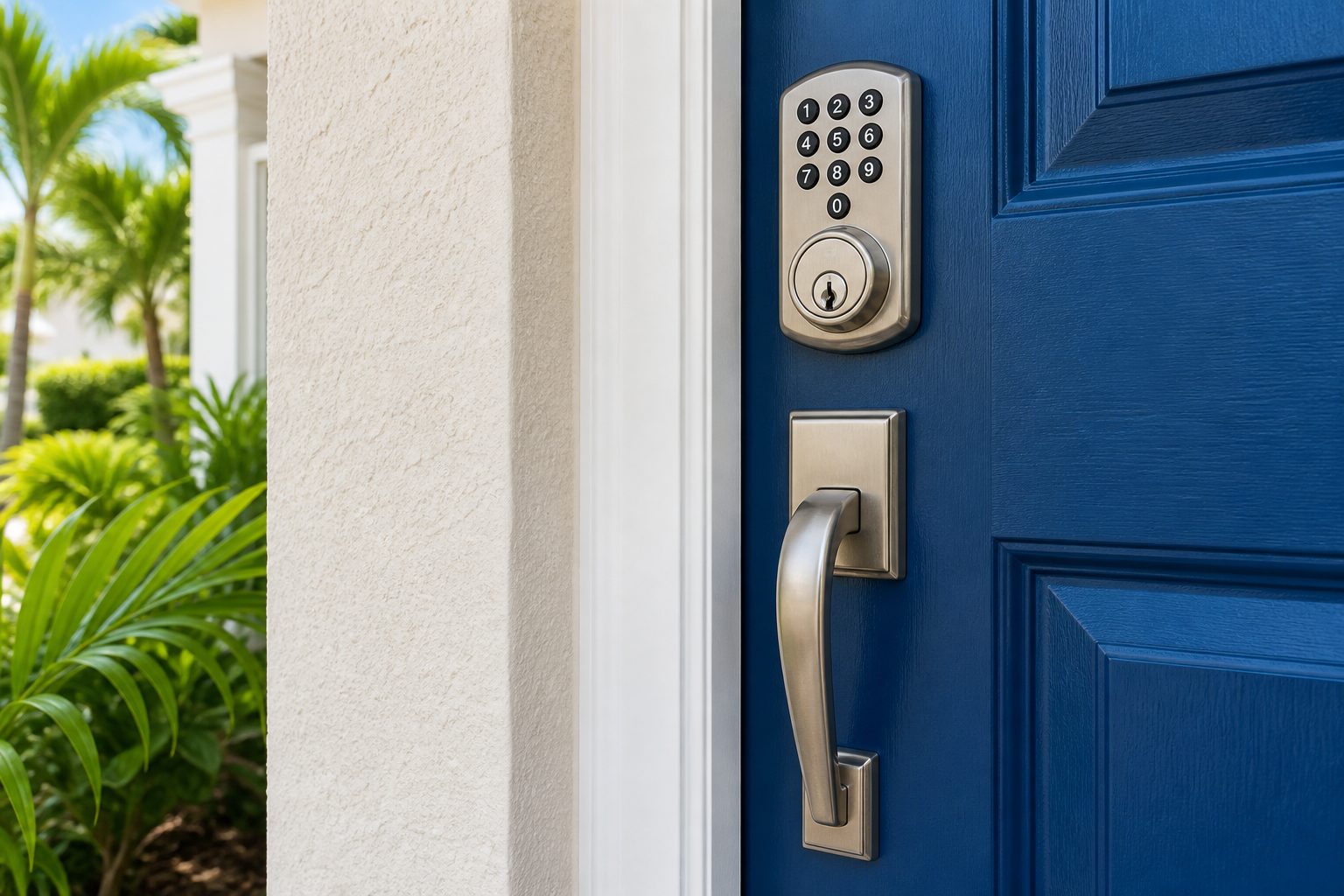
Most smart lock disappointments start with the door itself rather than the electronics. Before you compare features, look at what you already have. Is there a single deadbolt above the handle, a combined handle set, or a mortise lock built into the edge of the door? Does the door close smoothly and latch without a shove? A smart lock motorizes whatever the door already does, so a door that sticks, drags on the frame or needs a lift to engage will make the new lock look unreliable.
In the Orlando area the typical home is a stucco or block house built in the last few decades, with a solid or insulated steel or fiberglass entry door and a standard deadbolt bore. Many townhomes and condominiums have similar doors, though some older buildings use mortise hardware or doors with unusual thickness. Garage entry doors, side doors and patio doors can all differ from the front door, so check each one you plan to convert.
Humidity and summer heat matter here too. Wood doors swell in the wet season and can shift the bolt alignment slightly. Metal doors expand in direct afternoon sun. A lock that lines up perfectly in March may bind a little in August. A technician will usually check the alignment of the bolt and strike plate before installing anything electronic, because a motor straining against a misaligned bolt drains batteries and wears out early.
Smart locks fall into a few families, and the names can be confusing. A full replacement deadbolt swaps out your whole lock body and usually includes a keypad or touchscreen on the outside. A retrofit unit keeps your existing deadbolt and exterior key cylinder, and replaces only the inside thumb turn with a motorized version. A handle set combines a lever or knob with a deadbolt in one product. A mortise smart lock replaces the box lock found on some older and commercial style doors.
Each family has tradeoffs. A retrofit unit is easy to reverse and keeps your original keys, which is helpful for renters and for anyone who wants to try keyless entry without a big change. A full replacement gives you a keypad on the outside, which many households prefer because no phone is needed to get in. Handle sets are tidy but depend on the existing door preparation. Mortise models are specialized, and you generally want a professional involved.
Think about who uses the door. A front door shared by two adults and a teenager has different needs than a rental unit with changing guests. If several people come and go at different hours, an exterior keypad often saves more trouble than any phone feature. If you mostly want to lock up remotely and check status, a retrofit unit with a hub may be enough.
The connection method decides how the lock talks to your phone and the rest of your home. Bluetooth connects directly to a phone nearby and uses very little power, but it only works within a short range. Wi-Fi connects the lock to your home network so you can reach it from anywhere, but it draws more battery and depends on your router staying healthy. Low power mesh protocols such as Zigbee and Z-Wave connect through a hub and are built for small battery devices. Thread and Matter are newer standards designed to let products from different makers work together.
None of these is simply better. Bluetooth only locks are simple and robust, and they suit people who do not need remote access. Wi-Fi locks are convenient but ask more of your network. Hub based systems add another box and another place for something to go wrong, though they are often stable once configured. Matter compatibility is worth looking for if you already run a smart home platform, but check what features actually carry over, since some advanced options still live in the maker's own app.
A practical test is to ask what happens when the internet is down, which happens during Florida storms. A good smart lock should still work with its keypad or its physical key when your router is dark. Remote features may pause, but you should never be unable to open your own door.
| Connection | Good for | Watch out for |
|---|---|---|
| Bluetooth only | Simple keyless entry with a keypad or phone nearby | No remote access unless a bridge is added |
| Wi-Fi built in | Remote lock and unlock without a hub | Heavier battery use and dependence on your router |
| Zigbee or Z-Wave with hub | Larger smart home setups with many devices | Extra hub to maintain and pair |
| Thread or Matter | Mixing devices from different brands | Feature support still varies between makers |
Every smart lock depends on batteries, and how the lock behaves when they weaken is one of the most important buying questions. Most models use four AA cells or a similar pack, and run for months under normal use. Wi-Fi connected locks, locks that auto relock frequently, and locks on busy doors tend to use more. Heat is also a factor. A door baking in afternoon sun can shorten battery life compared with a shaded entry.
Look for a lock that warns you early, through the app, through a light or sound at the door, or both. A good design gives you plenty of notice before it stops working. Also find out whether the lock has an emergency power option, such as contacts on the outside that let you touch a battery to wake the keypad. That feature can rescue you if you ignore the warnings for too long.
Set a household habit rather than relying on memory. Replace batteries on a regular schedule that you pick, such as at the start of hurricane season, and use fresh quality cells instead of mixing old and new. Avoid cheap batteries that can leak, because corrosion inside a lock body is a repair nobody enjoys. If a lock suddenly acts strangely, such as slow motor sounds or random error beeps, weak batteries are the first thing to try.
A smart lock should never be your only way in. Many models keep a standard key cylinder on the outside as a backup, while others are fully keyless and rely on the keypad, the phone and a battery contact for emergencies. Both approaches are reasonable, but you need to decide which one suits you. A key cylinder gives you a familiar fallback and can be rekeyed. A keyless design removes a pick-able surface and a place for dirt and humidity to cause trouble, but it makes your battery routine more important.
If you choose a lock with a key cylinder, treat that key like any other house key. Keep a spare with someone you trust, and think about where it is stored. Hiding a key in an obvious place near the door undoes the point of upgrading your security. Our guide on spare key storage ideas covers safer approaches in more detail.
Also ask how the lock handles a power cycle or a failed motor. A well designed lock will let you turn the inside thumb turn by hand, so family members can always leave the home quickly. You should be able to confirm that without tools. Never accept a design where someone inside could be trapped by a dead lock, especially in a home with children, older adults or anyone with mobility concerns.
Installation is where a good lock can become a frustrating one. A technician looking at your door will usually check a few things before any screws come out. The door thickness and the diameter of the bore hole determine which locks will fit. The backset, which is the distance from the edge of the door to the center of the bore, is usually one of two standard sizes, but older and custom doors can differ. The condition of the strike plate and the depth of the screws that hold it also matter.
They will also look at how the door sits in its frame. If the bolt does not slide fully into the strike with the door closed and a light push, a motorized lock will struggle and may report jams. Adjusting hinges, replacing a worn strike plate or lengthening screws often fixes this, and it is much better to do before the electronic part is installed. If you are curious about reinforcing the frame, read door frame and hinge security.
Finally, a technician will think about the inside of the door. Some smart locks have a bulky interior housing that clashes with a door that has a narrow stile or glass panel nearby. Others need clearance for the battery cover to open. For a clear overview of what we can do on site, see smart locks and keyless entry and keypad deadbolt installation.
Marketing for smart locks leans heavily on app features, but the physical build matters just as much. A smart lock sits on the same door and frame as any other lock, so a strong bolt, a solid strike plate and a well anchored frame are the foundation. The electronics add convenience and some new risks, but they do not replace the basics.
On the digital side, look for a lock that encrypts its wireless communication, supports strong account protection on the app, and lets you review activity. Choose a long unique access code for the keypad and avoid obvious sequences like birth years or repeated digits. Remove old user codes when a guest, contractor or former tenant no longer needs entry. Our page on digital lock code best practices goes deeper.
Be careful with features that automatically unlock when your phone approaches. They can be convenient, but they depend on location accuracy and can open a door when you are only passing by or standing in the garage. Some households love them, others turn them off. It is reasonable to start with manual unlocking and add automation later when you trust how the lock behaves.
Orlando is inland, but humidity is high most of the year, afternoon storms are common, and summer heat is intense. Exterior keypads and touchscreens live in that environment every day. Look for a model with a weather resistant rating and a design that drains water rather than trapping it. Be wary of touchscreens on doors that get direct afternoon sun, since glare can make them hard to read and heat can stress the display.
Homes closer to the coast, or anyone who spends time near the water, may also deal with salt exposure. Even in the interior, moist air can corrode weak finishes. A brass or well plated finish usually ages better than a thin coating. Rinse the exterior of the lock gently with a damp cloth now and then, and avoid spraying oils into electronic parts. Our page on humidity and lock longevity explains how to look after hardware in this climate.
Think about hurricane season as well. Power outages and wet doors are common during storms, and you want your lock to continue working without the internet. Batteries should be fresh before the season starts, and everyone in the household should know how to use the physical key or the emergency power contacts. A short test run before a storm warning is a good habit.
Think about who will use the lock and how often those people change. A family with children may want an easy keypad and clear audible feedback. Older adults may prefer a lever handle that does not require a tight grip, along with a keypad rather than a phone. A home office or a rental property may need individual access for different people and the ability to remove them quickly.
If you are a landlord or manage vacation rentals, a smart lock can reduce key handoffs, but it brings its own routines. You need a clear process for changing entry numbers between guests, a plan for dead batteries, and a way to reach the lock if the Wi-Fi drops. Because lock changes in rentals have legal and lease implications, read our guide on landlord lock responsibilities in Florida for the general picture, and check your own lease or association rules.
Renters should check what they are permitted to change. Retrofit units that leave the exterior hardware untouched are often easiest to approve and reverse. Condominium and HOA properties may require a specific lock style or permission for exterior changes. It is always better to ask before purchasing than to remove a new lock later.
Before you commit to a smart lock, run through a short list. Decide how you want to unlock the door in daily life: keypad, phone, fob, or a physical key. Choose the connection style that suits your network and your tolerance for setup. Confirm the battery plan and the emergency method. Verify that the lock fits your door thickness and backset, and look at the interior housing to be sure it will not collide with trim.
Next, think about support. Does the maker provide clear instructions, and is there a way to get help if something misbehaves? Is there a physical key backup, and can it be rekeyed? What happens to your access if the company changes its app or stops supporting your model? These are boring questions, but they decide whether your lock feels like an upgrade or a nuisance a few years from now.
If you want a second opinion, a mobile locksmith can look at your door, talk through options and handle installation. Pricing depends on the lock and the work involved, so quotes are given by phone, and more complicated jobs may call for an on site visit with a service call charge explained before dispatch. When you are ready, call and describe your door and what you want the lock to do.
Not every door suits every lock. Most standard entry doors with a normal deadbolt bore will work, but door thickness, backset, glass nearby or a mortise lock can limit choices. A technician can check the door and frame before you buy so the lock fits and the bolt lines up properly with the strike plate.
Most smart locks run on batteries, so a power outage at home does not stop them. If the internet is down, remote features pause but the keypad or physical key should still work. Look for a model with a key cylinder or outside emergency power contacts so you always have a way in.
Neither is simply better. Wi-Fi lets you check and control the lock from anywhere but uses more battery and relies on your router. Bluetooth is simpler and efficient but works only near the door unless you add a bridge. Choose based on whether you really need remote access.
Yes, in most homes. A physical key or an emergency power option means a dead battery or a software problem never leaves you outside. If you keep a key, store it sensibly with someone you trust rather than in an obvious hiding place near the door.
Often yes. A locksmith can check that the lock suits your door, adjust the strike plate or alignment, install the hardware and set up the keypad entry numbers. Call and describe the model and the door so the technician knows what to expect, and the details of the job and quote will be explained on the phone.
It depends on the model, how often the door is used, and heat exposure. Many households choose a fixed routine, such as the start of hurricane season, and replace batteries when the lock first warns of low power. Use fresh quality cells and never wait until the lock stops responding.
Describe the situation by phone and we will tell you what the job involves. Quotes are given by phone. Jobs that cannot be quoted without seeing them need a technician on site, and the service call charge is explained on the phone before anyone is dispatched.