Smart locks promise a life without keys, but they bring new ways to get shut out: a battery that quietly dies, an auto-lock that engages too soon, a phone that loses its connection. This page explains the usual causes, the settings worth checking, and why a mechanical backup key still matters.
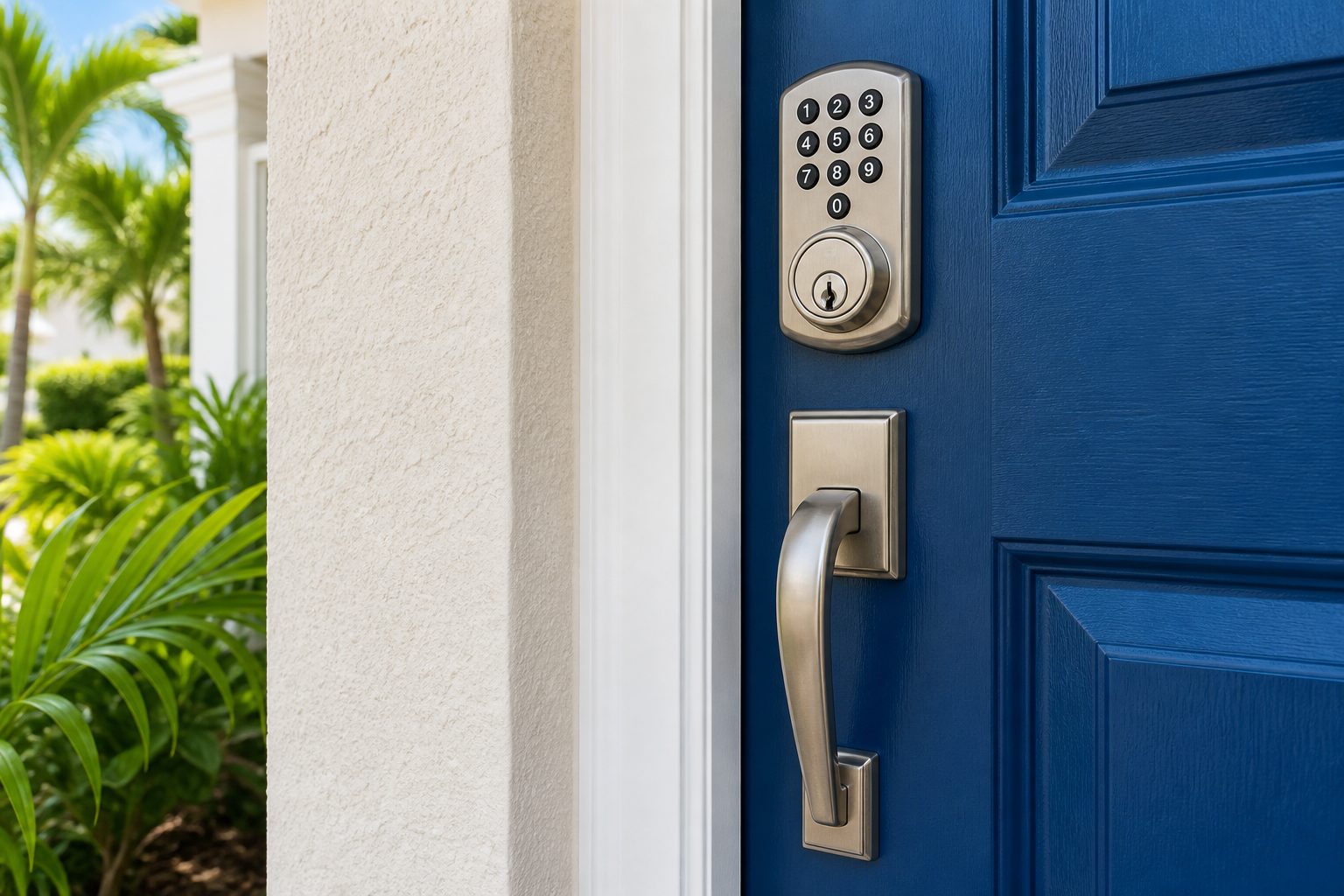
A smart lock is meant to make life easier. You walk up, the door recognizes you, and it opens. You type a PIN on a keypad, tap your phone, or let a fingerprint reader do the work. You can let a guest in remotely, check from the office that the door is locked, and cancel a number when a contractor finishes. For many households in Central Florida, with its mix of busy families, short-term rentals and winter residents, these features are genuinely useful.
The same technology can also lock you out. A traditional lock fails in a handful of predictable ways, such as a lost key or a worn cylinder. A smart lock adds a battery, a circuit board, a wireless radio, a phone app, an account and settings, and each one is another place where something can go wrong. A lock that keeps shutting you out is usually not broken in the dramatic sense. More often, one of those layers is misbehaving, and the fix is a matter of finding which.
This page walks through the common causes in roughly the order you should check them, from the simplest to the more involved. It also explains what a locksmith can do, when it makes sense to call one, and how to set up your lock so that it is much less likely to catch you out again. If you are standing at the door right now, jump to the section on what to do when you are already locked out.
Most smart locks run on batteries, usually four AA cells, and a weak battery is by far the most frequent reason for a lockout. The lock may behave strangely for days before it fails completely. The motor may sound slow or strained, the keypad lights may be dim, the lock may take several tries to respond, or it may beep a warning that you ignored. When the battery drops below a certain level, the lock may refuse to turn the bolt, even though the keypad still lights up.
Heat is a factor in Florida. A lock on a door that faces the afternoon sun, or inside a hot enclosed porch, can run its batteries down faster, and some lower-grade cells leak or lose capacity in hot conditions. Cold is less of an issue here, but humidity can corrode battery contacts over time. If you can see white or green residue on the battery contacts, clean them carefully with a dry cloth and replace the cells.
Use good quality alkaline or lithium batteries recommended by the manufacturer. Mixing old and new cells, or mixing brands, shortens life. Replace all of them at once. Set a reminder, such as the start of hurricane season or a date you will remember, to change them before they run low, instead of waiting for the warning.
Many locks have an emergency power feature. A common design lets you touch a nine volt battery to two contacts on the outside of the lock, which gives enough power to enter your PIN and open the door once. Check your manual to see whether yours has this and where the contacts are. Keep a fresh nine volt battery somewhere accessible, such as your car, not inside the house.
If the lock works well with new batteries and then fails again quickly, the problem may be something drawing excess power, such as a jammed bolt that makes the motor work too hard. That points to the mechanical side, which we cover below.
Most smart locks include an auto-lock feature that re-locks the door a set time after it has been opened. It is a security benefit, because it means the door is rarely left unlocked by accident. It is also a classic source of lockouts. You step outside to put the trash in the bin, take a package from the porch or carry groceries from the car, the door swings shut, the lock engages after a short delay, and you are outside without a key or a phone.
Check the auto-lock settings in the app or on the lock itself. The delay may be set to a very short time, which might be fine for a household that always carries a phone, but is risky for one that does not. Consider lengthening the delay, or turning auto-lock off on the door you use most for quick trips outside. Some locks let you set auto-lock only when you leave, using a door sensor or the phone's location, which reduces the risk.
Be aware of the door's position. Some locks use a door sensor to tell whether the door is closed before they lock. If the sensor is misaligned or a magnet has moved, the lock may misread the door's state. A lock that tries to throw the bolt while the door is open can jam, and one that does not realize the door is closed may not lock at all.
Keep a way to enter that does not depend on the phone. A keypad PIN, a fingerprint, or a physical key lets you back in when you step out without your phone. If your lock has only a phone-based entry, you are only a dropped phone away from a lockout.
Review the settings after any app or firmware update. Updates sometimes reset options to defaults, including auto-lock timing, which can change the behavior you were used to.
Smart locks talk to your phone or home network through Bluetooth, Wi-Fi or a hub that uses another wireless standard. When that link fails, features that rely on it stop working. A phone that is out of range, a router that has restarted, a hub that has lost power, or an internet outage can all prevent the lock from responding to a command. The lock itself may still work with a PIN or key, but the app cannot unlock it.
Think about what changed. Did you replace your router, change your Wi-Fi password, or move a hub? Did your phone update its operating system, or did you switch phones? Phone updates sometimes change Bluetooth permissions, and an app that no longer has permission cannot connect. Check that the app is allowed to use Bluetooth and location, and that battery saver features are not shutting it down in the background.
Account problems are another cause. If you are signed out of the app, or if the lock is linked to an account that has expired, the phone cannot send the command. Check that you can sign in, and that the lock still shows as a registered device.
Distance matters for Bluetooth locks. If the lock needs your phone to be within a few feet, a metal door, a thick wall or a phone case can reduce the range. Try standing right next to the lock.
If the app shows the lock as offline, restart the phone, then the hub or the router, and check the lock's battery. Do not remove the lock from the app or reset it unless you know how to set it up again, because a reset may erase user PINs and settings.
Our page on smart lock troubleshooting covers more of these issues and what a technician can do.
Not every smart lock problem is electronic. The lock turns a bolt, and the bolt must move smoothly into the door frame. If the door is misaligned, the bolt may rub against the strike plate or miss the hole. The motor then strains, the lock reports an error, and it may stop mid-turn or refuse to lock. In Florida, doors swell and shift with humidity and storms, and a lock that worked perfectly in the dry season may struggle in the wet one.
Test the door by turning the thumb turn on the inside by hand, with the batteries removed if the lock allows it. If the bolt moves stiffly or the door needs to be lifted or pushed for the bolt to enter the frame, the alignment is the problem. A strike plate may need adjustment, or the hinges may need tightening. Our page on doors that will not lock after a storm explains the usual signs.
Check that the door closes fully and is not bouncing back. A door with a strong closer or a draft pressure can fail to latch, and a smart lock may not engage the bolt until the door is shut.
A lock that was installed incorrectly can also cause trouble. If the lock body is not perfectly aligned with the bolt hole, the motor works against friction. Over time this wears the gears and drains the battery. Some smart locks are retrofits that mount over an existing deadbolt, and an old deadbolt that is stiff or corroded can overload them. Our page on rusted locks from salt and humidity describes how moisture damages hardware.
If the cylinder itself is stiff, lubricate it sparingly with a suitable lock lubricant, and have a technician look at it if it does not improve.
Sometimes the lock works, but you cannot get it to accept you. Keypads wear, and buttons you press most often become less sensitive. A touchscreen keypad can fail to respond in heavy rain or when your fingers are wet. Dirt, sunscreen and pool chemicals on the keypad can interfere. Wipe the surface with a soft damp cloth.
Check that the PIN is still valid. Many locks let you set time-limited or scheduled PINs for guests, cleaners and rental stays, and an old schedule may have expired. If a family member's PIN suddenly stopped working, look for a schedule, a user setting or a limit on the number of uses. Some locks lock out the keypad for a period after several wrong entries, which can happen if a child or a visitor tries repeatedly. Wait for the lockout period to end and try again.
Fingerprint readers can fail when the sensor is dirty, when your finger is wet, dry or cut, or when the stored print was taken in different conditions. Clean the sensor, try a different finger, and add the same finger more than once from different angles. If the sensor is damaged by moisture, it may need replacing.
Be careful about the PINs you choose. Avoid birthdays, simple sequences and repeated digits, and change them when people no longer need access. Our guide on digital lock PIN best practices explains how to manage them.
Keep a record of who has which PIN, and clear unused ones. A tidy list makes it easier to work out why a number is no longer accepted.
If you are at the door now, take it step by step. First, stay calm and do not force the door or the lock. Forced entry damages hardware and frames, and it can leave the home less secure.
Try the other ways in. If you have a keypad, enter your PIN slowly and firmly. If the keypad is dark, check whether the emergency battery contacts are available and whether you have a nine volt battery. If your phone is the key, try again close to the lock, and check Bluetooth and the app.
Use your mechanical key. Most smart locks have a keyway, often hidden behind a small cover on the front of the lock. If you have the key, use it. If the key will not turn, do not force it. A stiff cylinder needs attention.
Check whether someone else can open the door. A family member inside, a neighbor with a spare key, or a guest with a working PIN might help. If you use a hub or a remote access service, a person with account access may be able to unlock it remotely.
Think about other doors. A garage entry door or a side door may be a way in, if it is unlocked and you can reach it safely. Do not climb, and do not break a window.
If none of that works, call a locksmith. Have photo identification and proof that you live at the property. The technician will confirm that you are entitled to enter before opening the door, and will explain how they will work. We do not describe methods here, because the safe approach is to leave it to a trained professional.
If anyone is in danger, such as a child or a pet locked inside in hot weather, call 911 first.
Smart locks that have no physical key can be convenient, but they carry a risk. If the electronics fail completely and there is no way to override them, the only route in may be damage to the door or lock. A mechanical key backup gives you a plain, reliable way in, no matter what the battery, the app or the network are doing.
Make sure you have a working key and that you know where it is. Keep a copy somewhere accessible but not obvious, such as with a trusted neighbor or in a secure place at work, not in a hiding spot at the door. Test the key now, in good conditions, so that you know it works and so that you know how to open the cover that hides the keyway.
If your smart lock has no keyway, think carefully about the risk. Some models rely entirely on electronic entry and an external power connection. These can be fine for some households, but in a place with frequent storms and power outages, think about what happens if the lock dies and no one is at home.
If you rent a property out, a backup is even more important. Guests lock themselves out, and a host who cannot enter remotely needs a plan. Our page on vacation rental lock service explains how hosts handle this.
Our guide on smart lock buying guide covers how to choose a model with a sensible backup, and our guide on keypad vs key fob vs smart key compares the approaches.
If your lock keeps giving trouble, it may be worth reviewing the model and the setup. A few principles help.
Choose a lock with several ways to enter: a keypad, a physical key and, if you like, an app. Redundancy is the best defense against a lockout. A lock that relies on a single method, especially the phone, is the most fragile.
Look for low battery warnings that are loud and early, and one that notifies you in the app and with a sound at the door. Look for an external power option.
Check that the lock is suited to the conditions. Florida humidity, heat and rain are tough on electronics. Look for weather ratings, sealed keypads and a finish that resists moisture. Place the lock where it is shaded, if you can.
Have the lock installed properly. A correct installation, with an aligned bolt and strike plate, reduces strain and extends battery life. A locksmith can check the door as part of the job. Our page on keypad deadbolt installation describes the process.
Set sensible defaults: a longer auto-lock delay for everyday doors, PINs that you can remember, and a schedule of battery changes. Keep a written list of the user numbers and the account owner.
If your current lock is old, unreliable or has an unsupported app, consider replacing it with a more dependable model. A technician can advise on options and help you transfer to a system that suits your household.
Call when you are locked out and the simple options have failed, when the lock repeatedly fails even with fresh batteries, when you hear grinding from the motor or when the door will not lock reliably. Call as well when you want to replace a smart lock, add a keypad to a door, or set up a backup key.
Quotes are given only by phone. We do not post prices, because the work depends on the lock and the situation. Complicated jobs may need an on-site visit, and there is a service call charge, which is explained on the phone before dispatch. You will know the terms before agreeing to anything.
We do not promise arrival windows, but we will tell you what we know about timing when you call. When you phone, have the lock make and model ready if you know it, a description of what happens, and your identification. A photo of the lock helps.
A smart lock should make life easier. If yours keeps locking you out, call and describe what is happening, and we will help you work out whether it is a quick adjustment, a repair or a better lock.
The usual causes are weak batteries, an auto-lock that engages too soon, a lost phone connection, a misaligned door that strains the motor, or a PIN that has expired. Check the batteries first, then the auto-lock settings and the app connection. A mechanical key is the reliable backup.
Many locks have external contacts where a nine volt battery gives enough power to enter your PIN once. Check your manual. If that is not available, call a locksmith with photo identification and proof that you live at the property, and keep a mechanical backup key in future.
It depends on your habits. Auto-lock improves security, but it catches people who step outside briefly. Lengthening the delay, or using it only when you leave, can reduce lockouts. If you often go outside without your phone, make sure you have a keypad PIN or a key as well.
Yes. Moisture can corrode battery contacts and circuit boards, and heat can shorten battery life and affect plastic parts. Choose a lock designed for outdoor conditions, keep the keypad clean, and replace batteries on a schedule. Shade helps, especially on doors that face afternoon sun.
It can be. If the bolt rubs the strike plate or the door must be lifted to lock, the motor strains and the battery drains. Test by turning the thumb turn by hand. A technician can adjust the strike and hinges and check the lock installation.
Quotes are given only by phone, because the cost depends on the lock, the door and the work needed. Complicated jobs may need an on-site visit. There is a service call charge, explained on the phone before dispatch. You will know the terms before agreeing to any work.
Describe the situation by phone and we will tell you what the job involves. Quotes are given by phone. Jobs that cannot be quoted without seeing them need a technician on site, and the service call charge is explained on the phone before anyone is dispatched.