Smart locks promise a door with no key to lose, and then one evening the keypad goes dark, the phone app says offline, or the bolt stops halfway and you are standing on the porch. This page covers how keypad, WiFi and Bluetooth locks behave when they fail, what to try before calling, how a mobile locksmith handles a smart lockout in Orlando, and how installation, rekey and compatibility questions are sorted out.
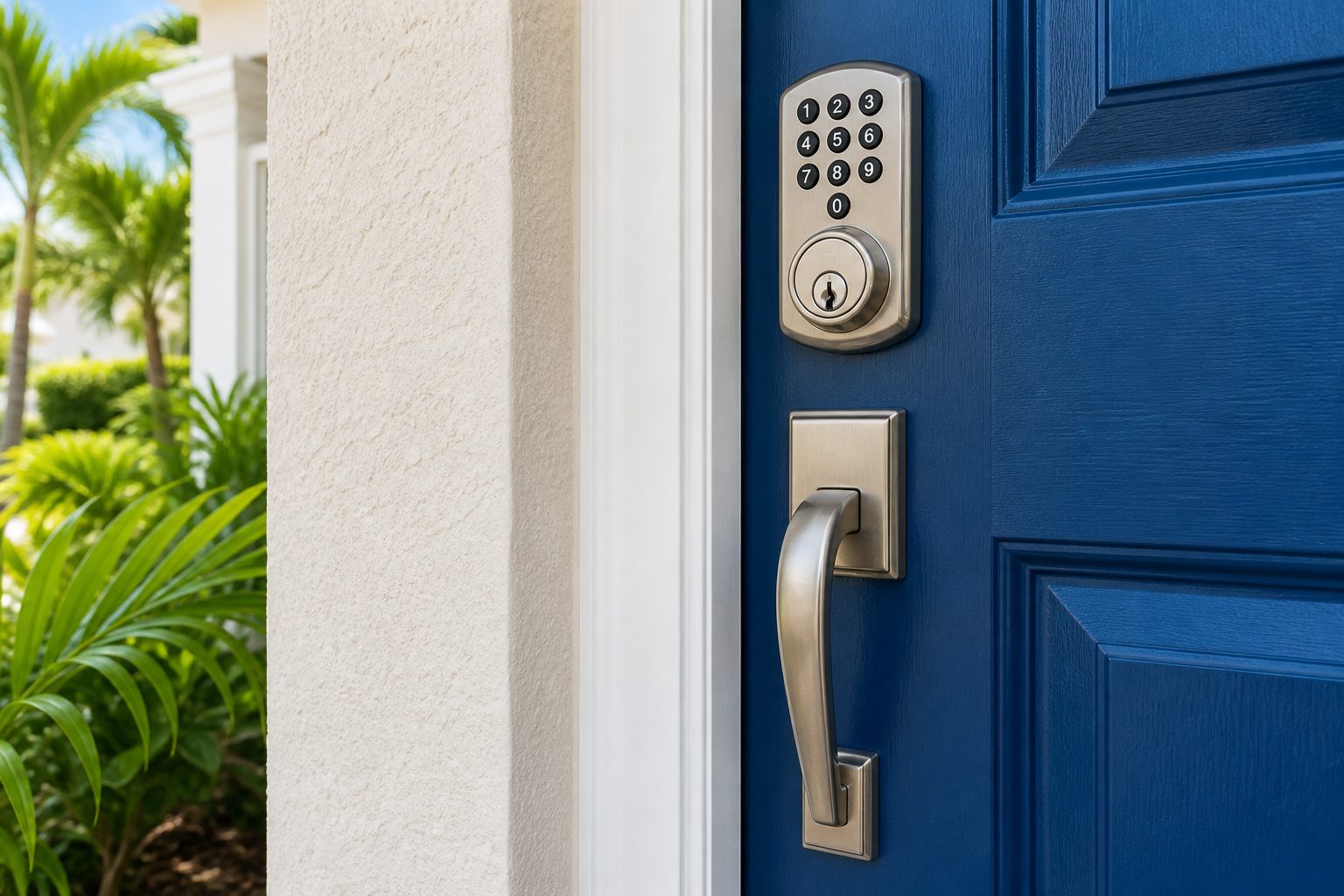
A smart lockout is any situation where an electronic lock keeps you out of a door you are entitled to use. It looks different depending on the lock. A keypad lock may refuse a code that has always worked. A phone controlled lock may fail to connect and leave you without a way to send the unlock command. A lock with a motor may start to turn the bolt and quit. A lock that lost its programming after a battery change may ask for a setup you never completed. A lock may even be working correctly while a code has been removed or a schedule has expired, which feels like a failure but is the system doing what it was told.
It is worth separating those cases, because they have very different fixes. A battery problem is solved in minutes. A door alignment problem takes some hands on adjustment. A software or account problem may need the owner to sign in to an app. A failed motor or board means the lock itself is at the end of its life. A good technician tests in that order rather than assuming the lock is bad.
Smart lock owners in Orlando also deal with local conditions that affect electronics. Summer heat on a sun facing door, heavy afternoon storms, salt and moisture in the air near the coast and in older buildings, and the constant swing between air conditioned rooms and humid outdoors can all take a toll on batteries, contacts and keypads.
The words smart lock cover several different designs. Knowing which one you have makes it easier to explain the problem and easier for a technician to prepare.
Many of these have a mechanical key override, but not all do. Some are sold with no key at all. If you have one with no override and the power is gone, the situation is more involved than a battery swap on a keyed model, and the technician needs to know that early.
Electronic locks are low power devices that nevertheless make a short, strong demand when the motor runs. Batteries that still light a keypad can fail to turn the bolt. This is why a lock may beep and flash and yet do nothing. Warnings from the lock, such as a low battery tone or a red light, are easy to ignore for weeks until the day the lock stops.
Some models offer a way to power the lock from outside when the batteries are dead. A common design has two small metal contacts on the bottom of the keypad, where a nine volt battery can be touched to give enough power for one unlock. Not every model has this, and it is wise to look at your manual before you need it. If your lock has no emergency contacts and no key, a technician has to approach it differently.
When replacing batteries, change all of them at once and use fresh cells from a known brand. Do not mix old and new. Do not substitute rechargeable cells unless the maker says so, because their output voltage can be lower and the lock may think they are weak. Check the orientation of each battery and the condition of the contacts. White or green crust means moisture has gotten in, and a technician can clean and test the area safely.
If a keypad that used to work now ignores the right code, there are a few usual explanations. Many models lock the keypad for a delay after several wrong tries, and pressing more buttons only extends the delay. Wait calmly and try again slowly. Some locks require a specific start or finish key, and a code entered without it looks like nothing happened. If the code was recently changed, it could be that the new code was saved on the app and never reached the lock.
Worn keys can read as the wrong digit, and moisture behind the keypad can produce ghost presses. A pad that responds only to hard presses, or only on some numbers, is near the end of its life. Heat and sun can also fog or crack the faceplate.
It is a mistake to spray cleaner into the buttons or open the housing on the porch. Electronics do not forgive liquids, and a lock that half works can fail completely after a soaking. A technician checks the battery voltage, the cable between the keypad and the inside unit, and the control board in a sensible order before suggesting replacement.
A phone linked lock has two lives, one as a mechanical device on the door and one as a networked device in the home. When the second life fails, the first usually still works, which means the keypad, the key or the thumb turn on the inside can operate the lock. A lockout happens when the lock has no other way in and the phone is the only method.
Common causes of connection trouble include a router that was restarted or replaced, a changed WiFi name or password, a power outage that reset a bridge, a phone that updated and withdrew a Bluetooth permission, an app account you can no longer sign in to, or a lock that sits too far from the router. Thick doors, metal frames and storm doors can weaken the signal. A technician can re pair a lock and test the signal strength at the door, but they cannot repair your home network or recover an account you no longer control.
Keep your account details, a list of who has access, and the original setup paperwork in one place. Know the email address that owns the lock account. A smart lock owned by a former resident, a former landlord or a person who has left your household is a lockout waiting to happen.
A motorized bolt needs a clear path. If the bolt rubs the strike plate, the motor strains, the batteries drain faster and the lock begins to stall. Florida doors move with humidity. Wood swells, hinge screws loosen, slab doors sag and frames settle. A bolt that glided last winter may drag in August.
A quick check helps. With the door open, extend and retract the bolt using the inside thumb turn or the key and feel whether it moves smoothly. Then close the door and try again. If it works open and struggles closed, the problem is alignment, not electronics. A technician can adjust the strike, tighten or shim the hinges, and enlarge the opening slightly so the bolt has room. Fixing the door often saves a lock that was never at fault. The door hardware repair page describes that kind of work, and the door frame and hinge guide explains how frames shape lock performance.
Never force a motorized bolt with a tool. Gears in a small motor strip easily, and a repair becomes a replacement.
A few safe steps can save a service call, and they also make the call more useful when you do need help. None of them involve taking the lock apart or defeating how it works.
If anyone is trapped inside or in danger, call 911 first. A locksmith is not an emergency service, and the right order of calls matters when safety is at stake.
When you call, you describe the lock and what it is doing. The dispatcher asks for the address, the brand, and the symptoms, and explains the service call charge and how pricing is discussed before anyone is sent. The more precise you are about what you see and hear, the better the technician can prepare.
On arrival, the technician confirms who you are and that you are entitled to have the door opened. This is a firm step, since a smart lock may protect a home, a rental or a business. Expect to show identification and some connection to the property, such as a lease, a utility bill or a document from the owner or manager.
Next comes testing. The technician looks at the door, the bolt and the lock together before working on anything. They check power first, then the mechanical side, then the electronics. If the lock can be brought back to life, they explain what was wrong and what to do to prevent a repeat. If it cannot, they explain the options, which may include repair, a different lock, or a plan to rekey or replace.
Nothing is installed or changed without your agreement. The technician can also help re pair a lock with your app, set fresh codes and confirm that a backup key works. A smart lockout is a good moment to make sure the same problem does not return.
A new smart lock needs to match the door. The technician checks the door thickness, the bore hole size, the backset, the edge preparation and the strike. Most residential doors in the Orlando area use standard preparation, but older doors, doors with decorative glass and doors replaced during renovations can differ. A lock that fits poorly will wear out sooner and may jam.
Rekeying matters because many smart locks keep a mechanical cylinder. That cylinder can be keyed to match your other locks, which means one key works the front door, the garage entry and a back door. Rekeying also cancels old keys that may still be in the hands of former tenants, contractors or relatives. If you want your smart lock to share a key with existing hardware, mention it during the call. The lock rekeying page explains how that works, and the rekey or replace guide helps with the decision.
Installation is also the time to set the codes and access rules. A good habit is to give each person a separate code, so that removing one person does not disrupt everyone else. For more on the practical side of keypad installation, see keypad deadbolt installation.
Compatibility has three layers. The first is the door. The second is the network. The third is the phone or the home system.
For the door, the lock must fit the thickness, the bore and the latch type. Left and right handing matters for lever style locks. Doors with a narrow stile, such as many glass and aluminum doors, need a lock made for that shape. Fire rated doors may carry limits on what can be drilled or replaced.
For the network, WiFi locks need a stable signal at the door, and many people discover too late that the router sits on the other side of the house. A bridge or repeater may be needed. Bluetooth locks need the phone nearby, which suits some households and frustrates others.
For phones and home systems, check which phone operating systems the app supports, which voice assistants or home platforms the lock can join, and whether features you want require a subscription or a hub. A technician can speak to how the lock fits the door, but cannot promise how a given app will behave on your phone after future updates. The smart lock buying guide and the comparison in keypad versus key fob versus smart key help you sort out what you actually need before you buy.
A smart lock is only as secure as the habits around it. Give each person their own code when the lock allows it, and remove codes when someone no longer needs them. Avoid obvious numbers such as birth years, repeated digits and sequences. Rotate codes on a schedule, and change them right away after a contractor, a house sitter, a tenant or a guest has finished.
Short term rentals and vacation homes in the Orlando area put heavy demands on codes. Scheduled codes that expire after a stay are a good use of the technology, but they depend on accurate clocks and reliable connections. If the lock loses its network or its clock resets, a scheduled code may fail, which looks like a lockout to a guest. A backup method of entry, held by the owner or manager, should always exist. The vacation rental lock service page covers more of that situation, and the guide to digital lock code habits gives practical rules.
Keep a written list of who has a code, kept away from the door and away from the lock. If the list lives only in the app, you may not be able to see it when the app is the thing that fails.
Central Florida is rough on small electronics. A door facing west in July bakes for hours. A door under a porch may stay damp for days after a storm. Condensation forms when cool indoor air meets a warm outer door. Over time, these cycles loosen cable connections, corrode contacts and shorten the life of batteries and circuit boards.
Choose a lock rated for outdoor use when the door is exposed, and keep the finish in good shape. Replace batteries on a schedule, ideally before the low battery warning. Avoid pressure washing around a keypad, and wipe the faceplate with a barely damp cloth instead of spraying. If a lock starts acting erratic after rain, do not keep pressing buttons; let it dry and have it checked. For more about moisture, read the humidity and lock longevity guide, and for storm season preparation see the hurricane season door and lock prep guide.
Some problems are fixable on the spot: batteries, alignment, pairing, a dirty contact, a loose cable. Others point toward a new lock: a worn motor, a damaged board, a cracked housing, a keypad that has stopped responding, or a model the maker no longer supports. Many consumer models cannot be opened for individual parts, so a failed internal component often ends the life of the whole unit.
Age matters. A lock that has lived on an exposed door for years may be failing in ways you cannot see. If you have had repeated trouble, replacing the unit may cost less in the long run than another service visit. A technician can describe the choices after seeing the door and the lock, and can recommend a unit that fits the door you have instead of pushing something that does not suit it.
If you are weighing the options, smart lock troubleshooting explains common failure patterns in more detail, and smart locks and keyless entry describes how installation is handled. A lock that keeps locking you out is covered in the smart lock locking you out problem page.
| Symptom | Likely cause | Typical next step |
|---|---|---|
| Keypad lights but bolt does not move | Weak batteries or a binding bolt | Fresh batteries, then test the bolt with the door open |
| Keypad dark and silent | Dead batteries or lost power | Emergency contacts, key override, or technician visit |
| Correct code ignored | Delay lockout, worn buttons or changed code | Wait, retry slowly, then test the keypad |
| App shows offline | Network, bridge or phone permission change | Check the router and permissions, then re pair |
| Bolt moves partway | Door alignment or worn motor | Test with the door open, adjust or replace |
| Works only with the door open | Strike misalignment or sagging door | Adjust the door, frame or strike |
| Lock asks for setup again | Reset or lost programming | Re pair and confirm access codes |
Most smart lockouts are preventable with a short routine. Do it twice a year, when the clocks change or at the start of hurricane season, so you remember.
For a broader approach to staying out of trouble, the lockout prevention habits guide has more ideas, and a locked front door of an apartment or condo is addressed on the apartment and condo lockout guide.
The most common reasons are weak batteries and a bolt rubbing the strike plate. Replace all batteries first. If that does not help, open the door and test the bolt by hand. If it moves easily open but not closed, the door or frame needs adjustment.
Check your manual for emergency power contacts on the bottom of the keypad, which some models offer. If there are none, call and describe the lock. The approach depends on the brand, the design and the door, and the technician explains what is realistic.
Not always. The door thickness, bore size, backset and edge preparation must fit, and some glass, aluminum and fire rated doors have limits. The technician checks the door before installing and tells you if a different lock is a better match.
Many have a mechanical cylinder that can be rekeyed, so the key matches your other locks and old keys stop working. A few have no key cylinder at all, which is worth knowing before you buy.
A factory reset normally clears stored codes and may remove the lock from your account. Write down who has access before resetting, so you can restore it afterward.
Yes. Identification and some link to the property, such as a lease, a utility bill or a note from the owner or manager, are asked for before a door is opened or a lock is changed.
Moisture and heat can corrode contacts, loosen connections and shorten battery life. Locks rated for outdoor use hold up better, but no electronics last forever. Regular battery changes and a quick check after storms help.
If a keypad, WiFi or Bluetooth lock in Orlando has locked you out, call and describe the brand, the symptoms and the door. We explain the work and the service call charge on the phone, and we ask for proof you are entitled to the door before opening or changing anything.